Telegram Live Streaming നെപ്പറ്റി പറഞ്ഞപ്പോൾ Facebook ൽ എങ്ങനെ pre-recorded വീഡിയോസ് live stream ചെയ്യാം എന്നുകൂടി മെൻഷൻ ചെയ്യാം എന്നു തോന്നി.
വളരെ എളുപ്പമാണ്...
Requirements:
• PC with a stable internet connection
• OBS (Open Broadcaster Software)
ആദ്യമായി https://obsproject.com/ ൽ നിന്നും OBS ഡൗൺലോഡ് ചെയ്ത് PC യിൽ ഇൻസ്റ്റാൾ ചെയ്യുക. (Available for Windows, Linux & MacOS)
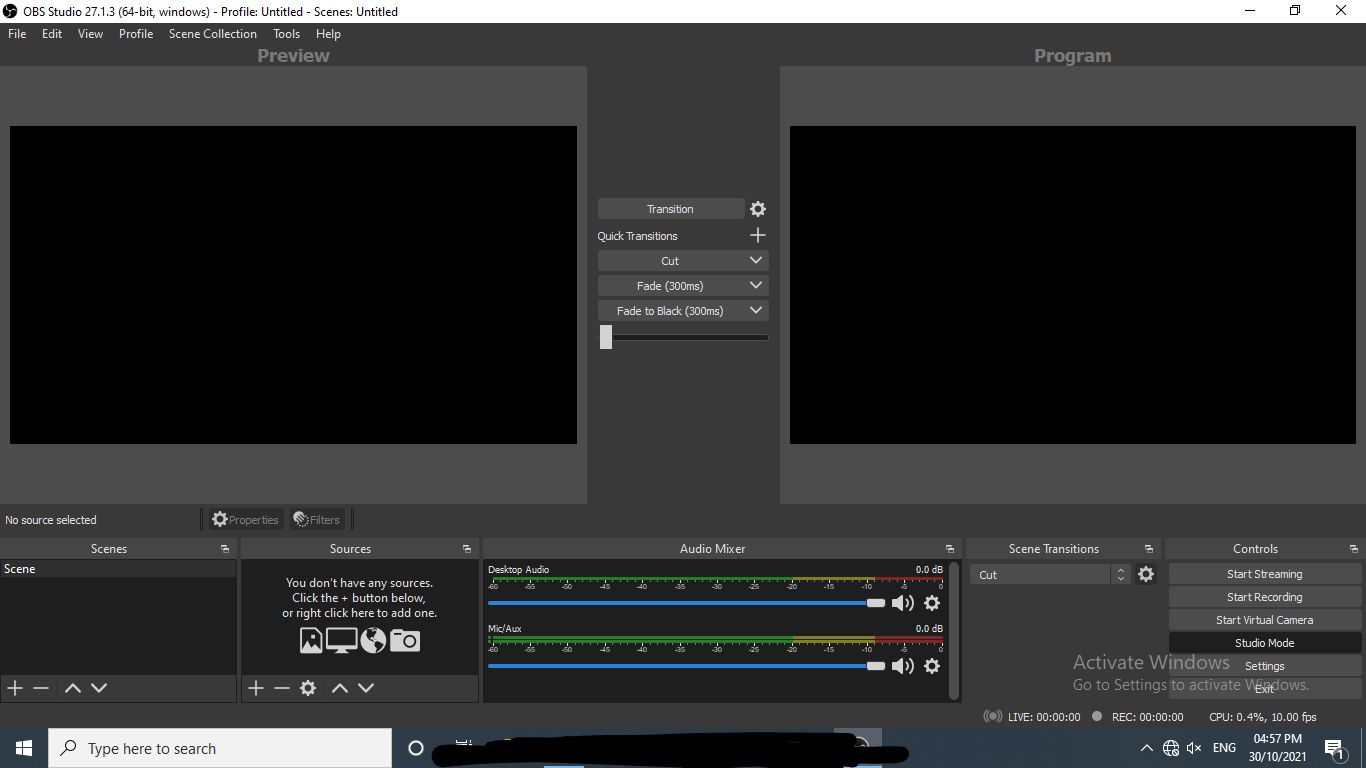
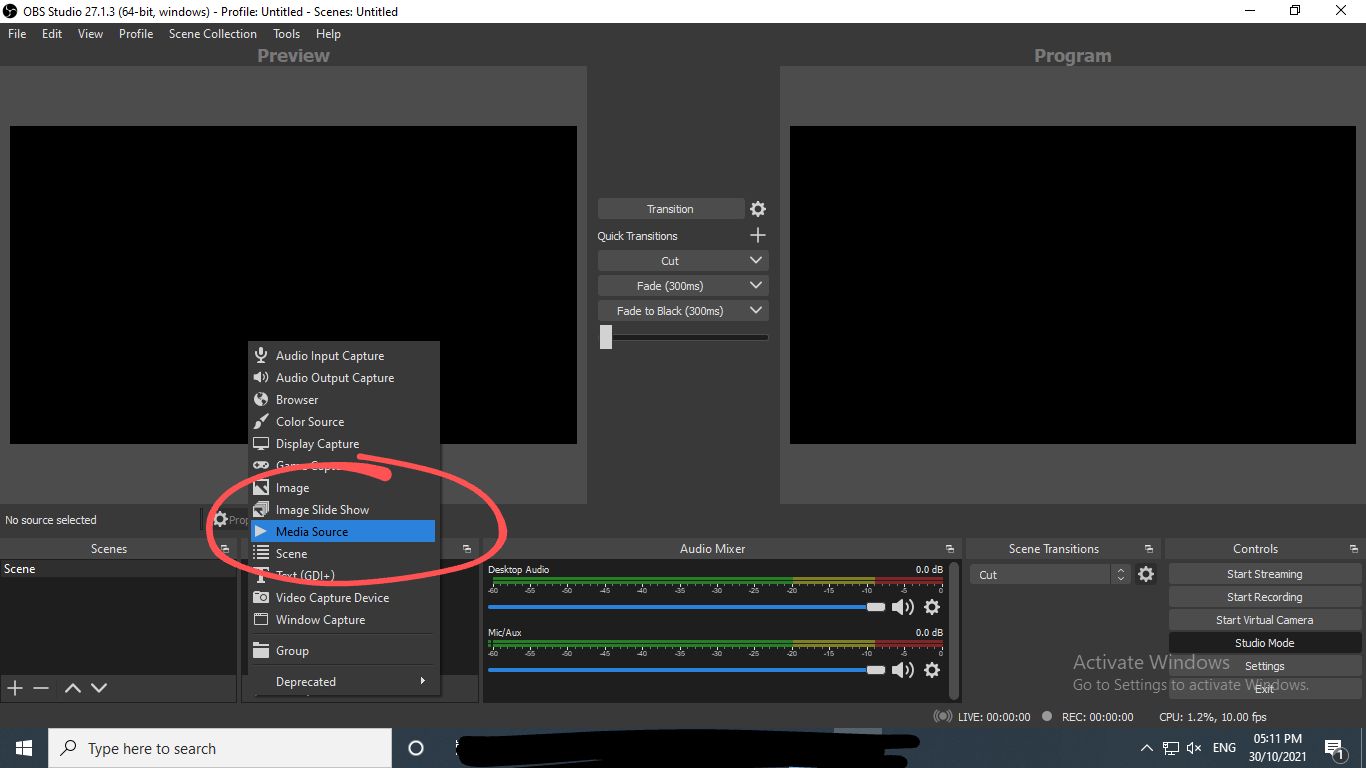
ഇടതു ഭാഗത്ത് താഴെ കാണുന്ന രണ്ടാമത്തെ box ലെ ➕️ ബട്ടൺ ക്ലിക്ക് ചെയ്ത് Media source എടുത്ത് stream ചെയ്യാൻ ഉദ്ദേശിക്കുന്ന വീഡിയോ അതിലേക്ക് add ചെയ്യുക.
ഇനി വലതു ഭാഗത്ത് കാണുന്ന Settings ബട്ടൺ ക്ലിക്ക് ചെയ്ത് Stream settings എടുക്കുക.
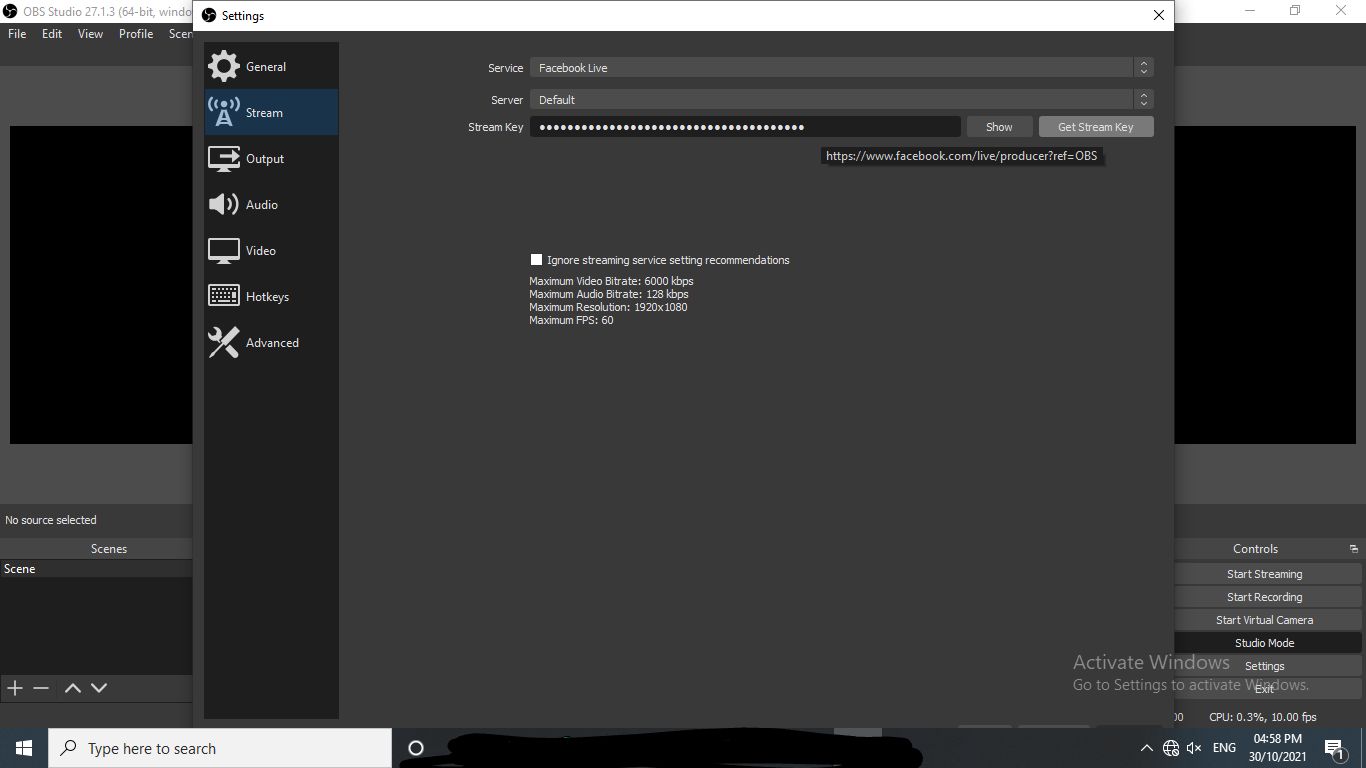
Service എന്നുള്ളത് Facebook Live സെലക്ട് ചെയ്ത് Get Stream Key എന്ന ബട്ടണിൽ ക്ലിക്ക് ചെയ്യുക.
അപ്പോൾ https://www.facebook.com/live/producer എന്ന പേജ് open ആവും.
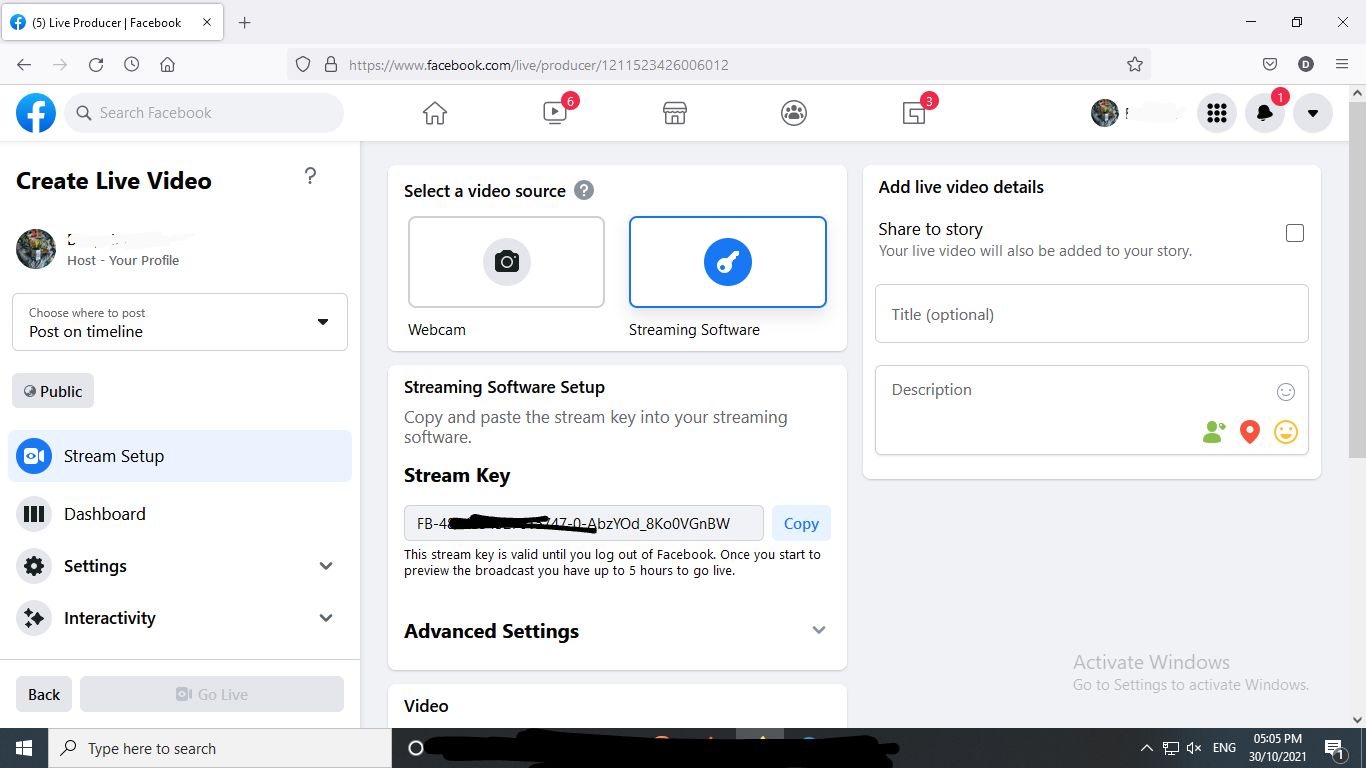
ഈ പേജിൽ നിന്നും stream key കോപ്പി ചെയ്ത് OBS ൽ Stream Key എന്നുള്ളിടത്ത് paste ചെയ്ത് enter അമർത്തുക. അപ്പോൾ Facebook & OBS connect ആവും.
ഇനി OBS ൽ വലതു ഭാഗത്തെ Start Stream കൊടുത്തതിനു ശേഷം Facebook ലെ മുകളിലെ പേജിൽ വന്ന് Live title & description (optional) കൊടുത്ത് Go Live ബട്ടൺ ക്ലിക്ക് ചെയ്താൽ നമ്മൾ സെലക്ട് ചെയ്ത വീഡിയോ Live Stream ആവുന്നത് കാണാം.
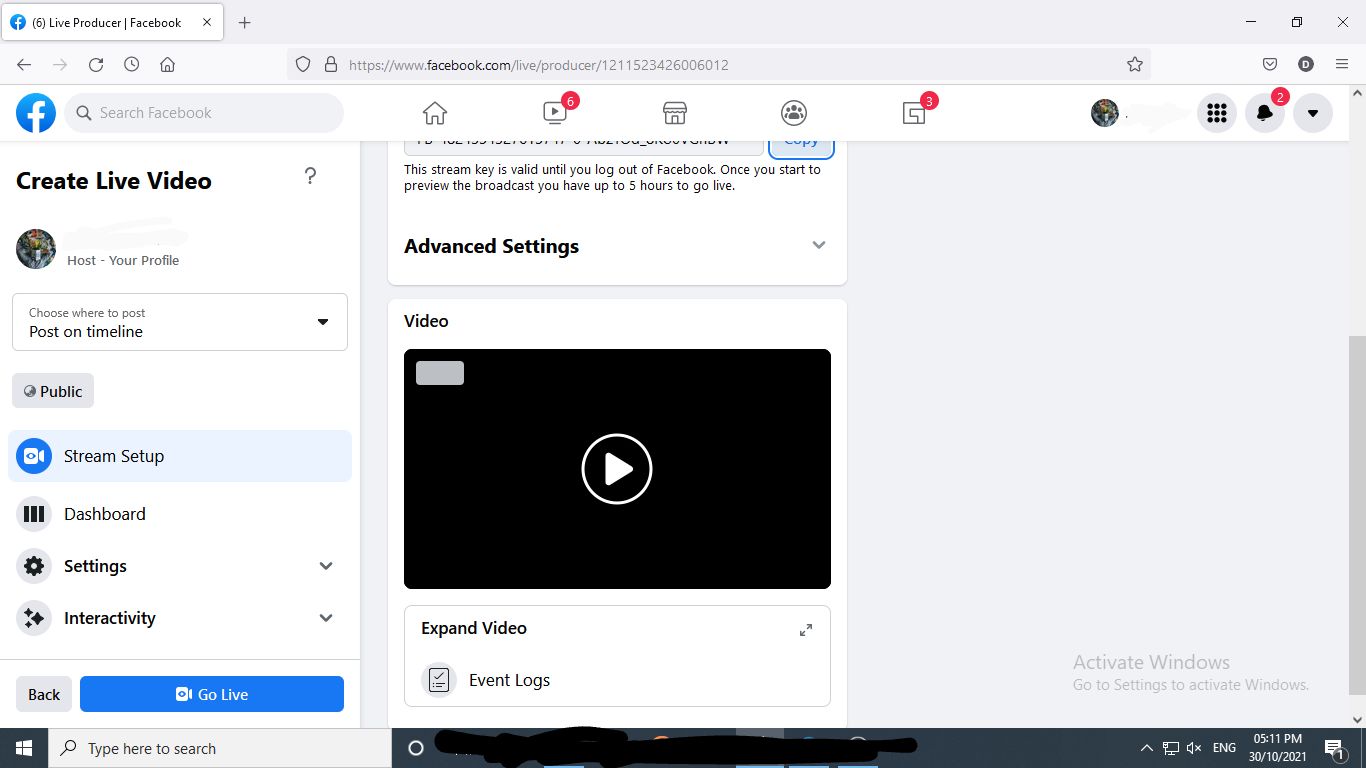
Host profile എന്നുള്ളത് മാറ്റി നമ്മൾ മാനേജ് ചെയ്യുന്ന പേജ് ആക്കാം.
Portrait വീഡിയോ ആണെങ്കിൽ OBS settings ൽ resolution മാറ്റി കൊടുക്കാം.
- @DeonWrites -
💬 Comments
Comment will appear after review.
No comments yet. Be the first!